
Snap the shelf. SAO does the rest.
Take a photo of a product and its shelf tag. SAO finds the exact Amazon listing, checks your eligibility and shows your real profit, so you list only what makes money.
And it keeps working after you leave the store: online sourcing with your own AI, listings, profit analytics and a Seller Central assistant. Nothing lists without your approval.
No credit card required. Just your name and email. 50 of 50 Founder spots left.
Video transcript
- Found a product worth selling on Amazon? SAO, Store AI Operator, checks it for you in minutes.
- First, connect your Amazon store on Amazon's own page. It takes about a minute, and we never see your password.
- Set your rules once: the stores where you buy, your minimum profit, ROI and shipping cost.
- In the store, open Shelf Photo Sourcing on your phone and choose the store where you are buying.
- Tap Take Photos. Take one photo of the product, and one close, straight photo of its shelf tag, so the price and item number are sharp.
- Doing the whole aisle? Keep shooting: product, tag, next product, tag. Up to fifty photos. SAO groups them into products for you.
- Tap Research My Photos. SAO reads each tag, finds the exact product on Amazon and checks every rule.
- You see the cost, the Amazon price, fees, shipping, your profit and ROI, and if you can sell it. Rejected products tell you why.
- Like it? Tap Approve and List. Nothing lists without your approval, and it shows Live only after Amazon confirms.
- Prefer online? Your own AI searches store websites every day. And Analytics shows your sales and profit.
- Try SAO free for seven days. No credit card, just your name and email.
Shelf Photo Sourcing
Walk the aisle at Costco, Sam's Club, BJ's, Walmart or any store. Your phone becomes a sourcing team: four taps from the shelf to your Amazon account.
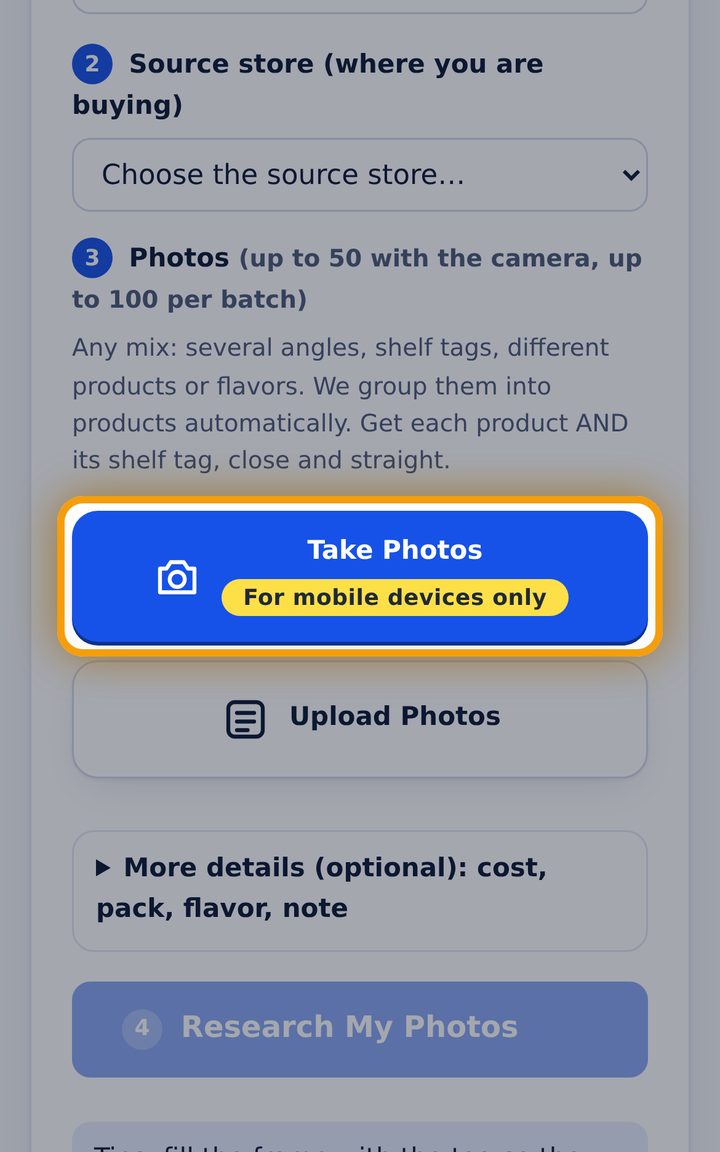
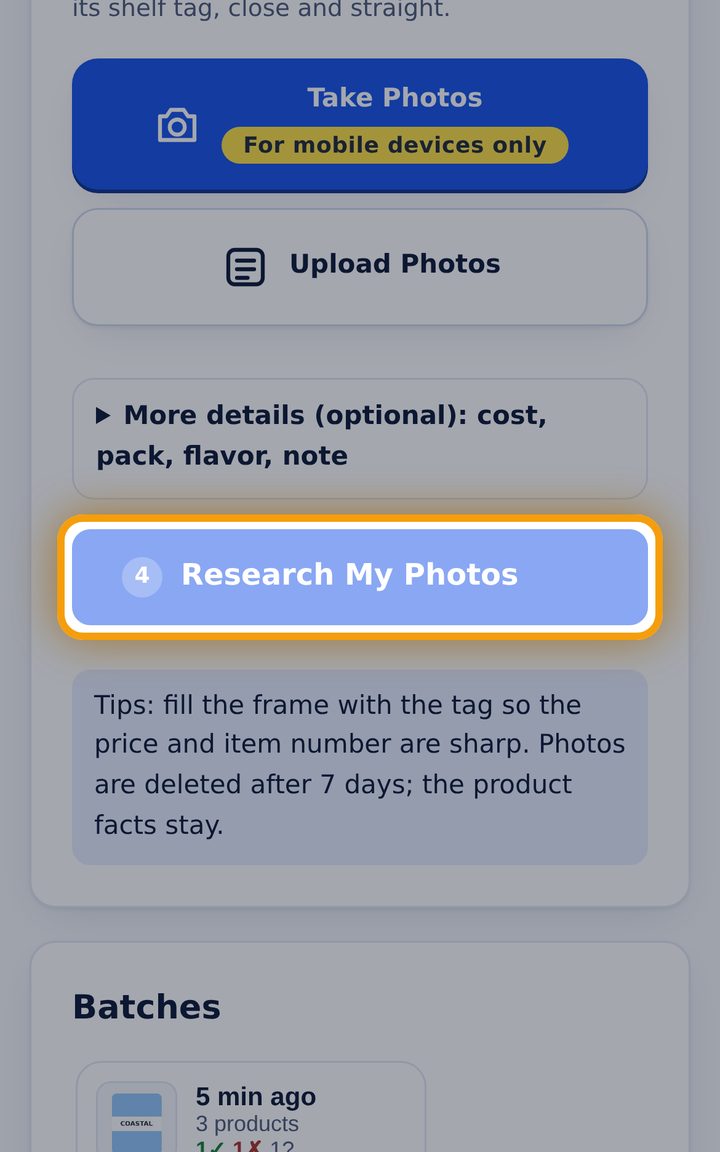
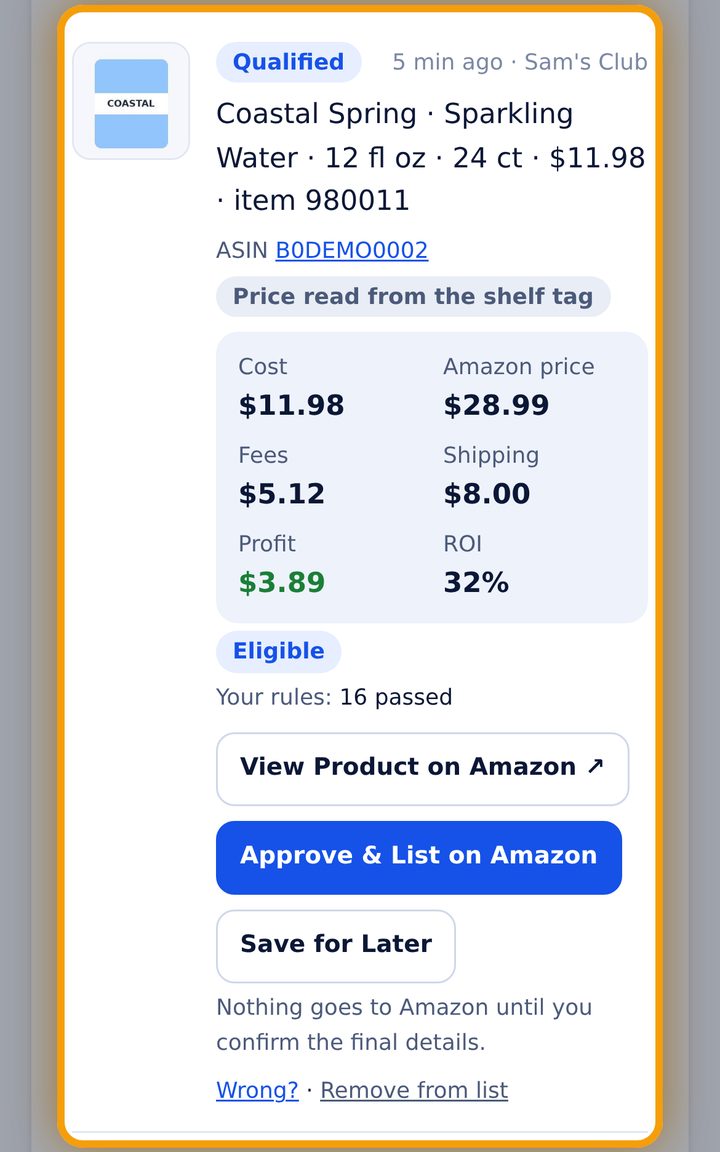
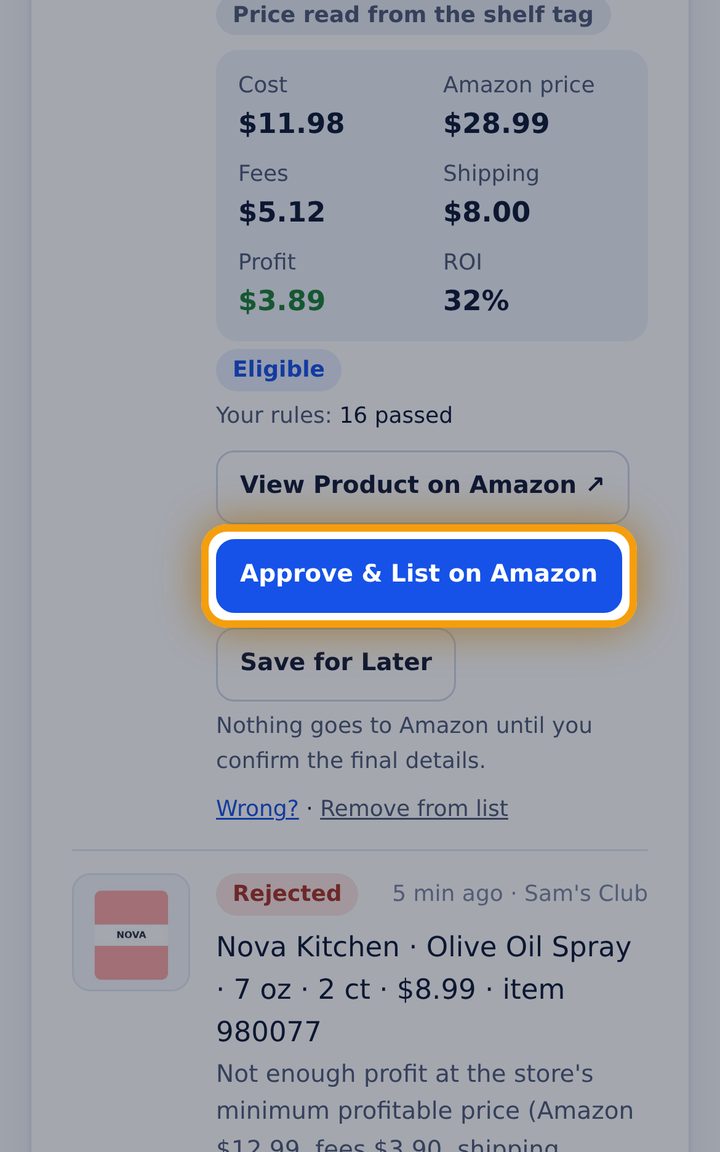
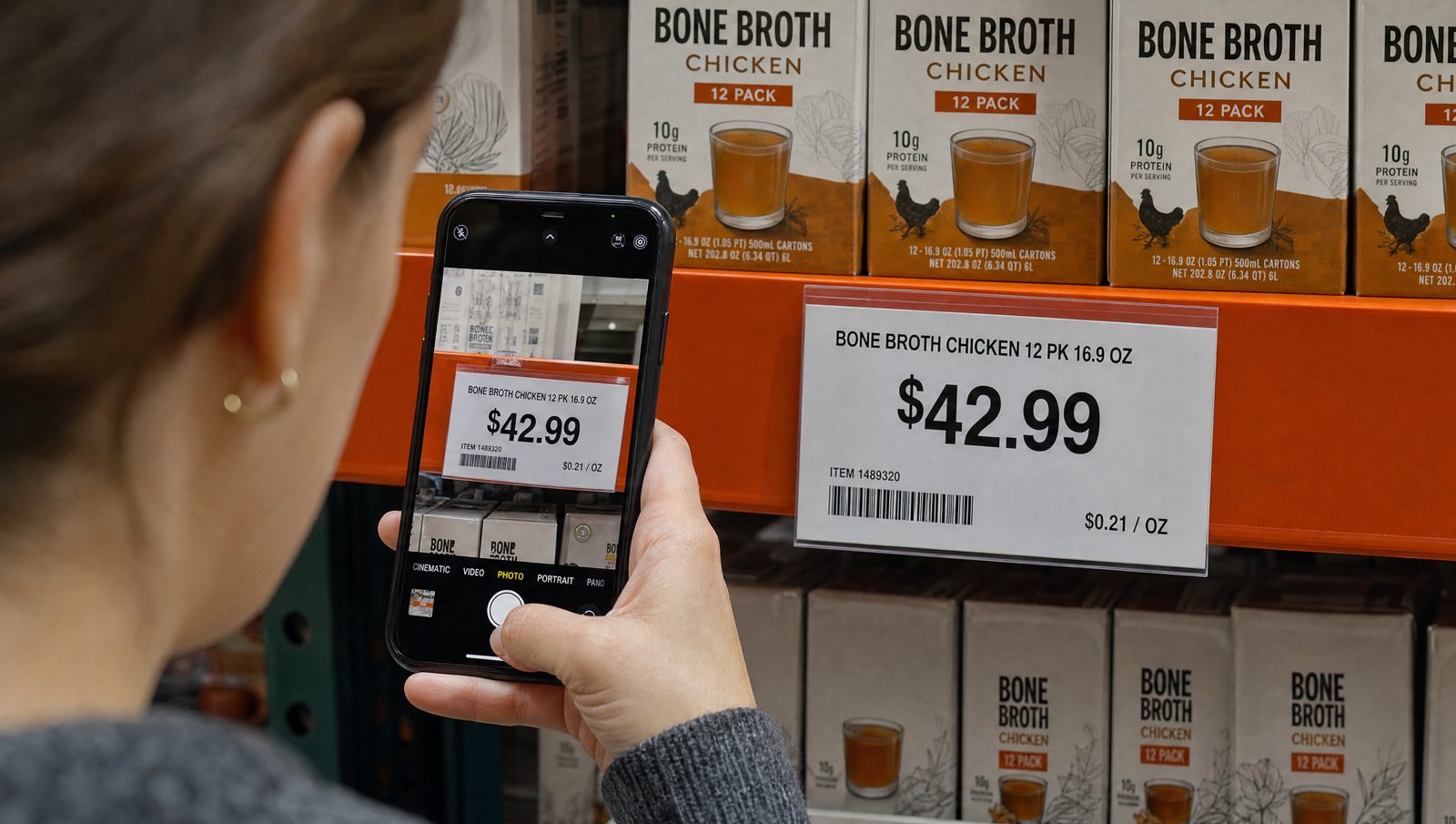
One photo of the product, one of its tag
- Fill the frame with the tag, close and straight, so the price and item number are sharp
- Doing the whole aisle? Product, tag, next product, tag. SAO groups them for you
- No price on the shelf? Type it, or reuse one from your own earlier photos
- Photos are deleted after 7 days; the product facts stay for your price history
Smaller packs from a case
A 24-unit case is checked against existing 12-, 6- and 3-pack listings, with the exact cost per pack.
Variety packs
Existing variety-pack listings (up to 3 variants) built from products you photographed.
Promotions handled
Instant savings and end dates read from the tag; your SKU keeps the normal cost.
Never generic or another brand
Same brand, size, flavor and count as the Amazon page, or it is skipped.
Brand-owner and IP warnings
Listings sold only by the brand owner are blocked; IP history is always shown to you.
Live only after Amazon confirms
SAO reads the listing back from Amazon before it ever says Live.
One AI operator for your whole Amazon business
Start with Shelf Photos. Add online sourcing and the Seller Central assistant when you are ready. Every optional helper is off until you turn it on.
Shelf Photo Sourcing
Photograph products and shelf tags in any store; get the exact Amazon match, eligibility and profit in minutes.
Online Sourcing with your own AI
Paste one prompt in Claude. Your AI searches the store websites you approved every day, as a guest, and sends what passes your rules.
Sourcing Rules
Stores, ZIP, same-day or shipped, minimum profit, ROI, shipping, weight, brands to avoid and your SKU format. Set once.
My Listings
Every listing SAO prepared, with the status, price and quantity read from Amazon.
Analytics & Profit
Sales, Amazon fees, product cost, ads and your other expenses, for a real net profit and a monthly forecast.
Ask SAO AI
Ask about your store, your rules or a result in plain English or Spanish.
Account Health
Your Amazon performance checked twice a day, with what to do before it becomes a problem.
Customer Service
Buyer replies in the buyer's language, with the order's real details and Amazon's rules.
Feedback & Claims
Feedback removal requests, A-to-Z responses and SAFE-T claims drafted with deadlines.
Cart Prep
After a sale, your AI adds the product to the source store's cart. It never checks out or pays.
How-to videos
Short videos in English and Spanish for every screen, right inside the app.
Integrations
Your Amazon store through Amazon's own authorization, and Claude through the SAO connector.
Amazon Ads
Sponsored Products managed against your real profit.
Coming soon
Basic includes Shelf Photos; Intermediate adds online sourcing with your own AI; Advanced includes everything. See pricing.
Connect. Set rules. Photograph. Approve.
Connect your Amazon store
About a minute, on Amazon's own page. We never see your password.
Set your rules once
Where you buy, minimum profit, ROI, shipping and more.
Photograph or search online
Shelf photos in the store, or your own AI on store websites.
SAO checks everything
Exact match, eligibility, fees, shipping, profit and 16+ rules.
You approve. SAO lists.
Live only after Amazon confirms it.
Every step recorded. Nothing hidden.
Each result shows which of your rules passed and which failed, and every action is written to an audit log you can read.
- Your own Amazon eligibility, checked with your account
- View Product on Amazon opens the exact matched page
- Cost source always labeled: tag, typed by you, or your records
- Your data is never shared with other sellers
Audit log
ExampleEach entry is chained to the one before it, so changes to history are detectable.
Built by an Amazon reseller, for Amazon resellers
SAO was built by a reseller who has been selling on Amazon since 2011 and runs his own store with this exact method: buying at warehouse clubs and wholesalers, matching the exact product on Amazon, and listing only when the numbers work after real fees and shipping.
The rules inside SAO are the rules he uses himself, including the strict ones, like never listing on Generic or different-brand pages.
Live numbers from the system
We don't post sales screenshots or income claims. These are live counts from our own stores.
From shelf to sale
Products SAO found since it started (desktop phase included).
- Listable products found3,108
- Live on Amazon1,410
- Already sold133
Created by the system
Product names appear here only with the store owner's permission.
Live data from 11 beta stores, updated every few minutes. Counts only: no revenue, profits or store names. Results depend on each store's account, sources and rules.
Frequently asked questions
How does Shelf Photos work?
Choose your Amazon account and the store you're in, take up to 50 photos with the camera (100 per batch), and tap Research My Photos. SAO groups the photos into products, matches Amazon listings, checks your eligibility and rules, and shows the economics. You approve what you want listed.
How many photos can I take?
Up to 50 with the camera and up to 100 per batch, from the camera or your gallery. Take one photo of each product and one of its shelf tag.
What is Online Sourcing?
You paste one prompt into Claude (your own AI, a Claude Pro plan is enough). It schedules itself and searches the store websites you approved every day as a guest, with no store login, then sends the products that pass your rules to SAO for your approval.
Do I need to scan UPCs?
No. A visible barcode helps the exact match, but SAO also reads the product and shelf tag. When it is unsure, it asks you.
What if the price is missing?
Add a photo of the shelf tag, type the price, or use a price SAO finds in your own earlier photos or price lists. A price you type is labeled as yours until you confirm it.
Can SAO find smaller packs?
Yes, when the units are individually sealed: a 24-unit case is checked against existing 12-, 6- or 3-pack listings, with the exact allocated cost. A single sealed container is never split.
Can it find variety packs?
Yes, for existing Amazon variety-pack listings with up to three variants, built from products you photographed. SAO checks the exact count of each variant and the cost; you confirm the units are individually sealed before listing.
Does SAO check my Amazon selling eligibility?
Yes, with your own connected Amazon account, for every product.
How does it calculate profit?
Amazon price minus Amazon's fees, your shipping and packaging rules and the product cost. It is an estimate; prices and fees can change.
Can I see the Amazon listing before approval?
Yes. View Product on Amazon opens the exact matched product page.
Does SAO list automatically?
No. Nothing is listed until you confirm the final details. Then SAO submits it and shows the status Amazon reports.
Can I use it on my phone?
Yes, in your phone's browser. Native iPhone and Android apps are in development.
What happens to my photos?
They are used only for your store and deleted 7 days after upload; the product facts (price, description, barcode) stay for your price history.
What does SAO cost? Is there a free trial?
Test-drive SAO free for 7 days. No credit card required, just your name and email. Then Basic (Shelf Photos) from $29.95 per month paid yearly, Intermediate (plus online sourcing with your own AI) from $39.95, or Advanced (everything) from $59.95. The first 50 customers get 10% off forever. See pricing.
Which marketplaces are supported?
Amazon.com (United States) today.
Your next store visit could pay for itself.
Test-drive SAO on your own Amazon store: 7 days free, no credit card.